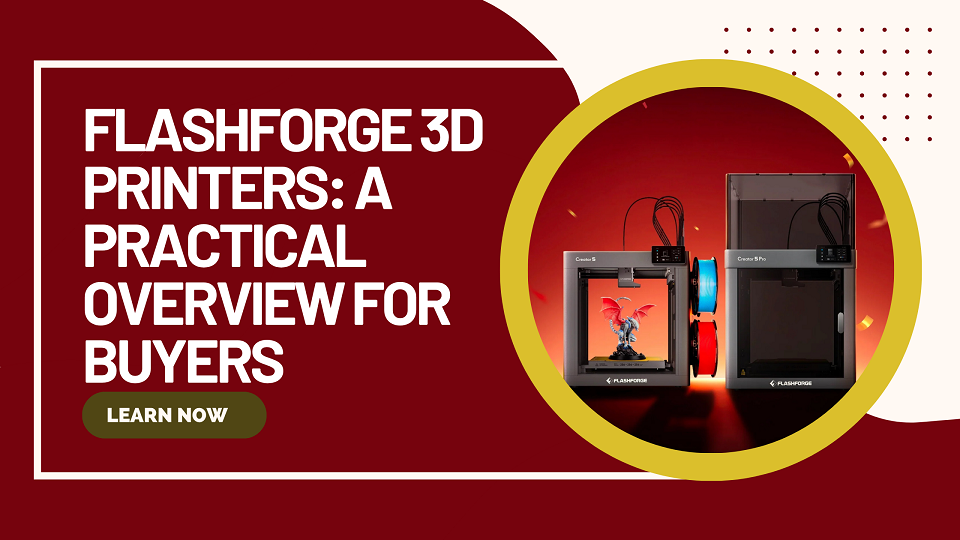
Flashforge designs and manufactures desktop and professional 3D printers. Founded in 2011 as Zhejiang Flashforge 3D Technology, the company focuses on reliable FDM machines that balance ease of use, speed, and material flexibility for hobbyists, educators, makers, and small workshops.
If you are researching Flashforge for the first time or comparing specific models such as the Adventurer series, Creator Pro line, Guider printers, or newer high-speed systems, this guide explains the main product families, key differences, and practical points to consider for U.S. users.
Who Flashforge Is
Flashforge produces its own FDM (fused deposition modeling) printers, some resin systems, filaments, and supporting software. The brand emphasizes practical features such as automatic bed leveling on many recent models, enclosed designs for quieter and cleaner operation, and compatibility with everyday materials like PLA, PETG, and TPU, with higher-temperature options on more advanced machines.
The company maintains an official online store that serves the U.S. market with warranty, shipping, and support options. You can view the current catalog, filaments, accessories, and software downloads on the official Flashforge website.
Main Product Families
Flashforge organizes its printers into several practical groups. Matching the family to your needs is more useful than focusing on any single model name.
Adventurer Series – Compact and Everyday Printing
The Adventurer line has long been one of Flashforge’s most recognized consumer ranges. Earlier popular models include the Adventurer 3, Adventurer 3 Pro, Adventurer 3 Lite, Adventurer 4, and Adventurer 4 Lite / Pro variants. These machines typically featured compact build volumes, enclosed or semi-enclosed designs, touchscreen interfaces, and relatively straightforward setup.
Newer entries such as the Adventurer 5M and Adventurer 5M Pro shift toward high-speed CoreXY motion while keeping a manageable footprint. They target users who want faster print times for PLA, PETG, TPU, and similar materials. Pro versions often add fuller enclosure and filtration.
These printers suit beginners, classrooms, and hobbyists who prioritize reliability and ease of use over extreme customization or very large parts.
Creator Series – Multicolor and Multi-Material Focus
The Creator family evolved from dual-extruder machines such as the well-known Creator Pro and Creator Pro 2 into modern multi-toolhead systems. The Creator 5 and Creator 5 Pro represent the current direction: independent toolheads that support multicolor or multi-material printing with reduced filament waste during color changes compared with traditional single-nozzle approaches.
These machines appeal to users who want efficient multicolor work, small-batch production, or the ability to combine different materials in one print. Enclosed Pro versions add chamber temperature control and filtration, expanding the range of usable engineering-oriented filaments.
Older Creator Pro models remain common in used markets because of their dual-extrusion capability and solid construction for their era.
Guider Series – Larger Format and Professional Work
Guider printers (Guider 2, Guider 2S, Guider 3, Guider 3 Ultra / Plus, and related variants) target users who need bigger build volumes or more robust performance. These machines often feature larger printable areas, dual extrusion on some models, and features oriented toward prototyping or light production rather than pure desktop convenience.
They are frequently chosen by small studios, designers, and educational or institutional users printing larger functional parts.
Other Notable Lines
Finder series (Finder, Finder 3, etc.): Compact, simpler machines historically aimed at first-time users.
Dreamer and Inventor lines: Earlier dual-extruder or feature-rich consumer models.
Resin options (Foto series such as Foto 8.9, Foto 9.25, Foto 13.3, and industrial DLP/Hunter systems): LCD or DLP resin printers for higher-detail applications.
Specialized systems: WaxJet machines for jewelry casting patterns and other industrial solutions.
Flashforge also sells compatible filaments (PLA, ABS, PETG, specialty blends) and accessories such as build plates, nozzles, and enclosure kits.
How to Choose a Flashforge 3D Printer
Consider these practical factors rather than marketing names alone:
Build volume and speed
Compact Adventurer-style machines work well for small-to-medium models and learning. Larger Guider or Creator machines suit bigger parts or higher throughput. Newer high-speed CoreXY models reduce print times for many everyday jobs.
Material goals
Basic PLA and PETG run on almost every current Flashforge printer. ABS, ASA, nylon, or carbon-fiber composites generally require higher nozzle temperatures, a heated chamber or enclosure, and sometimes specialized nozzles. Always check the specific model’s temperature ratings and enclosure type.
Multicolor or multi-material needs
Single-extruder machines are simpler and sufficient for most monochrome work. Tool-changer or multi-extruder systems (Creator 5 series or older dual-extruder Creators) become useful when color changes or soluble supports are frequent.
Environment and noise
Open-frame high-speed machines can be louder and release more fumes. Enclosed models with filtration are preferable for shared homes, offices, or classrooms.
Software and connectivity
Flashforge provides its own slicers (FlashPrint and Orca-Flashforge for high-speed machines) and supports community options. Connectivity usually includes USB, Wi-Fi, and sometimes Ethernet or LAN.
Support and parts
Buying through the official channel or authorized sellers helps with warranty, firmware updates, and genuine spare parts. The U.S. market has access to official shipping and customer support.
A side-by-side comparison tool is available on the manufacturer’s site for current models.
Software, Filaments, and Everyday Use
Most Flashforge printers ship with or recommend FlashPrint (or the newer Orca-Flashforge variant for high-speed machines). These tools handle slicing, machine profiles, and basic remote management. Many users also successfully run third-party slicers once profiles are dialed in.
Flashforge offers its own filament line, including standard PLA, ABS, PETG, and specialty options. Using manufacturer-recommended settings and materials typically reduces the learning curve, though the machines accept a wide range of third-party 1.75 mm filament when temperatures and cooling are adjusted appropriately.
Routine maintenance is similar to other FDM printers: keep the build plate clean, check nozzle condition, lubricate motion systems as recommended, and keep firmware current. Quick-swap nozzles on many recent models simplify material changes and wear replacement.
Frequently Asked Questions
Is Flashforge a good brand for beginners?
Many Adventurer-series machines are designed with first-time users in mind—automatic leveling, enclosed options, and relatively simple interfaces. Success still depends on following setup guidance and starting with easy materials such as PLA.
What is the difference between Adventurer 3 / 4 and the newer 5M series?
Earlier Adventurer models focused on reliable enclosed desktop printing at moderate speeds. The 5M generation emphasizes high-speed CoreXY motion, updated extruders, and faster practical print times while retaining a compact footprint.
Can Flashforge printers handle ABS or engineering materials?
Some can, especially enclosed models with higher temperature ratings and chamber control (certain Creator and Guider variants). Always verify the specific model’s maximum nozzle and bed temperatures and whether an enclosure or filtration is present.
Does Flashforge support multicolor printing?
Yes. Older dual-extruder Creators and current multi-toolhead Creator 5 series are built for multicolor and multi-material work with different approaches to filament switching and waste reduction.
Where can I buy Flashforge printers and parts in the USA?
The official Flashforge online store ships to the United States and offers warranty coverage, filaments, and accessories. Authorized retailers and educational suppliers also carry select models.
What software should I use?
Start with the official FlashPrint or Orca-Flashforge profiles for the best out-of-the-box experience. Community slicers can be used once you are comfortable adjusting settings.
Are older models like Creator Pro or Guider 2 still supported?
Many remain functional and popular. Spare parts availability varies by model; checking the official store or support channels is recommended before purchasing used equipment.
Conclusion
Flashforge offers a broad range of 3D printers that cover beginners through professional users. The Adventurer series remains a practical starting point for many, the Creator line addresses multicolor and multi-material needs, and the Guider family serves larger-format requirements. Newer high-speed CoreXY machines bring faster print times while older models such as the Creator Pro and Adventurer 3/4 continue to appear in searches because of their established track records.
The best choice depends on your primary materials, desired build size, need for color or multi-material capability, and whether you prefer an open or enclosed machine. Review current specifications, compare models on the official site, and consider total ownership factors such as filament cost, spare parts, and support before deciding.
For the latest models, filaments, accessories, software downloads, and U.S. purchasing options, visit the official Flashforge website.